Home - HPC

The Leonardo Hypercomputing Continuum integrates supercomputing, computing cloud and artificial intelligence in a sovereign and secure ecosystem. From design through to operativity, it transforms data into competitive advantage for governments, industry and research. 

Top HPCs

IN THE A&D INDUSTRY WORLDWIDE

1

REGISTERED USERS FOR HPC COMPUTATION

1 +

RESEARCHERS ENGAGED IN ITS OPERATIONS

1 X

COMPUTING POWER BY 2026
Where we are now

Digital transformation in critical sectors evolves at the speed of data The exponential growth of information generated by platforms, sensors and intelligent systems requires advanced computing capabilities to transform data into insights in real time. This is essential in critical missions, risk management, finance, healthcare, and industrial control.

At the same time, digital sovereignty and data protection are becoming crucial: geopolitical instability, new cyber threats and regulations such as GDPR, DORA and NIS2 necessitate solutions that ensure autonomy and resilience at the national and European level.

To this can be added the rise of “As-a-Service” models that are driving the use of on-demand HPC solutions, with the ability to go beyond the limits of legacy models, reduce the costs and times of uptake, and enable true operational scalability.

Three challenges to overcome

Operational and sensitive data

Slow response times compared to new AI-driven threats and processes 

Dependence on external vendors and non-compliant clouds, with the risk of lock-ins and loss of control 

What we offer

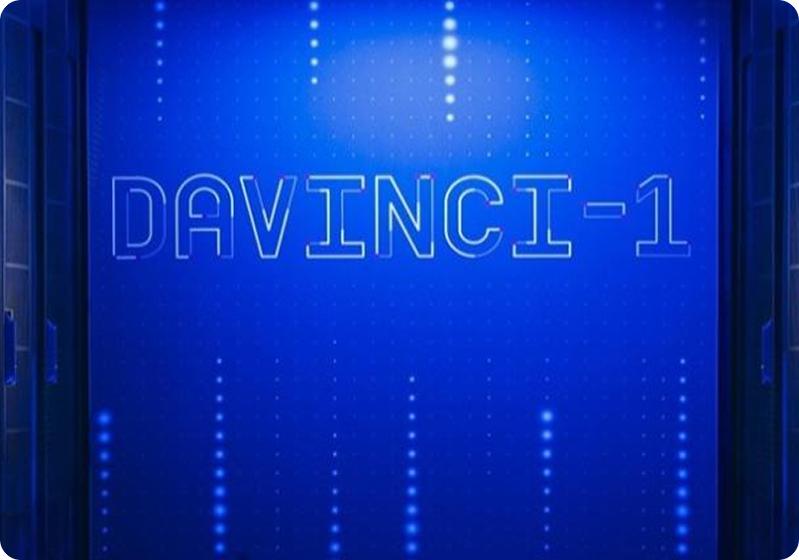
Over the years, Leonardo has developed a distinctive positioning in the European supercomputing arena through davinci-1, one of the most powerful proprietary infrastructures in the Aerospace, Defence and Security sector, and through industrial partnerships and a portfolio of solutions integrating cyber security, the cloud and artificial intelligence.  

This combination of competences and technological assets enables the company to offer sovereign computing capabilities and end-to-end services ranging from consultancy to design, from infrastructural management to algorithmic optimisation.

Technological axes

HPC On-Premise

HPC On-Premise

HPC as-a-Service

HPC as-a-Service

Private Computing Cloud

Private Computing Cloud

AI Solutions

AI Solutions
DAVINCI-2

Our numbers

DAVINCI-2

The Leonardo supercomputer dedicated to simulations, digital twins, development of AI models and big data analyses in the Aerospace, Defence and Security sector, with over 2,000 users and 200 registered in-house researchers. More than 350 servers with more than 230 CPU nodes and 120 GPU nodes Up to 27 PFlops Rpeak (maximum theoretical power) and 20 PFlops Rmax (actual measured performance) with the Davinci-2 upgrade.

1 +

servers with over 23 CPU nodes and 120 GPU nodes

UP TO  1

PFLOPS RPEAK* WITH THE DAVINCI-2 UPGRADE

UP TO  1

PFLOPS RMAX** WITH THE DAVINCI-2 UPGRADE
*Maximum theoretical power **Actual performance measured
An error occurred while processing the template.
The following has evaluated to null or missing:
==> CardsForSlide  [in template "20115#20151#26622642" at line 26, column 62]

----
Tip: If the failing expression is known to legally refer to something that's sometimes null or missing, either specify a default value like myOptionalVar!myDefault, or use <#if myOptionalVar??>when-present<#else>when-missing</#if>. (These only cover the last step of the expression; to cover the whole expression, use parenthesis: (myOptionalVar.foo)!myDefault, (myOptionalVar.foo)??
----

----
FTL stack trace ("~" means nesting-related):
	- Failed at: #if CardsForSlide.getData() == "one"  [in template "20115#20151#26622642" at line 26, column 57]
----
1<@leonardo.articleInfo .vars "Card Extended"/> 
2<#assign BackgroundImage = {} > 
3<#assign BackgroundImageTabletLandscape = {} > 
4<#assign BackgroundImageTabletPortrait = {} > 
5<#assign BackgroundImageMobile = {} > 
6 
7<div class="container-full-width ${BackgroundColor.getData()} padding-top padding-bottom"> 
8	<div class="pagination-flex"> 
9		<#if TitleOnlyShortVersion.getData()?? && TitleOnlyShortVersion.getData() !='' || SubtitleOnlyShortVersion.getData()?? && SubtitleOnlyShortVersion.getData() !=''> 
10			<div class="container"> 
11				<#if TitleOnlyShortVersion.getData()?? && TitleOnlyShortVersion.getData() !=''> 
12					<h2 class="title-extralarge">${TitleOnlyShortVersion.getData()}</h2> 
13				</#if> 
14				<#if SubtitleOnlyShortVersion.getData()?? && SubtitleOnlyShortVersion.getData() !=''> 
15					<p class="title-large text-uppercase">${SubtitleOnlyShortVersion.getData()}</p> 
16				</#if> 
17			</div> 
18		</#if> 
19 
20		<#if TitleCard.getSiblings()?has_content> 
21			<#assign size = TitleCard.getSiblings()?size /> 
22			<div class="component-work-with-us"> 
23				<div class="container-full-width ${BackgroundColor.getData()}"> 
24					<div class="container"> 
25						<div class="content"> 
26							<#if CardsForSlide.getData() == 'one'> 
27								<div class="job-swiper-wrapper component-with-title"> 
28									<div class="swiper jobSwiper <#if (size = 1)>pb-0</#if>"> 
29										<#if (size > 1)> 
30											<#if BackgroundColor.getData() = 'black'> 
31												<div class="swiper-navigation white"> 
32													<div class="swiper-button-prev"> 
33														<img src="${themeDisplay.getPathThemeImages()}/img/generic/arrow-left-white-icon.svg" alt="navigation left"> 
34													</div> 
35													<div class="swiper-button-next"> 
36														<img src="${themeDisplay.getPathThemeImages()}/img/generic/arrow-right-white-icon.svg" alt="navigation right"> 
37													</div> 
38												</div> 
39											<#else> 
40												<div class="swiper-navigation red"> 
41													<div class="swiper-button-prev"> 
42														<img src="${themeDisplay.getPathThemeImages()}/img/generic/arrow-left-red-icon.svg" alt="navigation left"> 
43													</div> 
44													<div class="swiper-button-next"> 
45														<img src="${themeDisplay.getPathThemeImages()}/img/generic/arrow-right-red-icon.svg" alt="navigation right"> 
46													</div> 
47												</div> 
48											</#if> 
49										</#if> 
50										<div class="swiper-wrapper"> 
51											<#list TitleCard.getSiblings() as node> 
52												<div class="swiper-slide <#if node.PositionIcon.getData() == "right">align-items-start</#if>"> 
53													<#if node.BackgroundImage.getData()?? && node.BackgroundImage.getData() != ""> 
54														<#assign BackgroundImage = node.BackgroundImage > 
55														<#if (node.BackgroundImage.BackgroundImageTabletLandscape.getData())?? && node.BackgroundImage.BackgroundImageTabletLandscape.getData() != ""> 
56															<#assign BackgroundImageTabletLandscape = node.BackgroundImage.BackgroundImageTabletLandscape > 
57														</#if> 
58														<#if (node.BackgroundImage.BackgroundImageTabletPortrait.getData())?? && node.BackgroundImage.BackgroundImageTabletPortrait.getData() != ""> 
59															<#assign BackgroundImageTabletPortrait = node.BackgroundImage.BackgroundImageTabletPortrait > 
60														</#if> 
61														<#if (node.BackgroundImage.BackgroundImageMobile.getData())?? && node.BackgroundImage.BackgroundImageMobile.getData() != ""> 
62															<#assign BackgroundImageMobile = node.BackgroundImage.BackgroundImageMobile > 
63														</#if> 
64														<#assign scalingDetails = { 
65														"desktop": {"alternateImage": {}, "key": "h_703"}, 
66														"tl": {"alternateImage": BackgroundImageTabletLandscape!, "key": "h_959"}, 
67														"tp": {"alternateImage": BackgroundImageTabletPortrait!, "key": "h_959"}, 
68														"mobile": {"alternateImage": BackgroundImageMobile!, "key": "h_560"} 
69														}> 
70														<#assign bg = leonardo.adaptImage(BackgroundImage!, scalingDetails)> 
71														<picture> 
72															<source 
73																	srcset="${bg.mobile?replace(" ", "%20")!}" 
74																	media="(max-width: 576px)" 
75															> 
76															<source 
77																	srcset="${bg.tablet_portrait?replace(" ", "%20")!}" 
78																	media="(max-width: 768px)" 
79															> 
80															<source 
81																	srcset="${bg.tablet_landscape?replace(" ", "%20")!}" 
82																	media="(max-width: 1024px)" 
83															> 
84															<img class="bg" src="${bg.desktop?replace(" ", "%20")!}" alt="${bg.alt_desktop!}"> 
85														</picture> 
86													</#if> 
87													<div class="glass"> 
88														<div class="job-card-header <#if node.PositionIcon.getData() == "right">d-flex justity-content-between align-items-center flex-row</#if>"> 
89															<#if node.Icon.getData()?? && node.Icon.getData() != ""> 
90																<#assign scalingDetails = { 
91																"desktop": {"alternateImage": node.Icon!, "key": "w_188"}, 
92																"tl": {"alternateImage": {}!, "key": "w_188"}, 
93																"tp": {"alternateImage": {}!, "key": "w_188"}, 
94																"mobile": {"alternateImage": {}!, "key": "w_188"}}> 
95																<#assign gridDataImg = leonardo.adaptImage((node.Icon)!, scalingDetails)> 
96																<div class="job-icon <#if node.PositionIcon.getData() == "right">order-2</#if>"> 
97																	<img src="${gridDataImg.desktop!}" aria-hidden="true"> 
98																</div> 
99															</#if> 
100															<p class="job-title title-regular <#if node.PositionIcon.getData() == "right">order-1</#if>">${node.getData()}</p> 
101														</div> 
102														<#if node.TitleList.getSiblings()?has_content || node.Link.PageLink.getFriendlyUrl() !='' || node.Link.ExternalURLLink.getData() !=''> 
103															<div class="job-card-body"> 
104																<#list node.TitleList.getSiblings() as sub> 
105																	<div class="job-key-concepts"> 
106																		<p class="body-medium"> 
107																			${sub.getData()} 
108																		</p> 
109																		<#if sub.Text1.getData() !=''> 
110																			<p class="body-small <#if sub.getData() == "">d-block</#if>"> 
111																				${sub.Text1.getData()} 
112																			</p> 
113																		</#if> 
114																	</div> 
115																</#list> 
116 
117																<#if node.Link.PageLink.getFriendlyUrl() !='' || node.Link.ExternalURLLink.getData() !=''> 
118																	<#if node.Link.ExternalURLLink.getData() !=''> 
119																		<#assign url = node.Link.ExternalURLLink.getData() /> 
120																		<#assign target = '_blank' /> 
121																	</#if> 
122																	<#if node.Link.PageLink.getFriendlyUrl() !=''> 
123																		<#assign url = node.Link.PageLink.getFriendlyUrl() /> 
124																		<#assign target = '_self' /> 
125																	</#if> 
126																	<#if node.Link.LabelButtonLinkLink.getData() !=''> 
127																		<a class="btn-secondary-negative align-self-start text-uppercase" href="${url}" target ="${target}" title="${node.Link.LabelButtonLinkLink.getData()}">${node.Link.LabelButtonLinkLink.getData()}</a> 
128																	</#if> 
129																</#if> 
130															</div> 
131														</#if> 
132													</div> 
133												</div> 
134											</#list> 
135										</div> 
136										<#if BackgroundColor.getData() = 'black'> 
137											<div class="swiper-pagination white"></div> 
138										<#else> 
139											<div class="swiper-pagination black"></div> 
140										</#if> 
141									</div> 
142									<#if LabelButtonLink.ExternalURL.getData() !='' || LabelButtonLink.Page.getFriendlyUrl() !=''> 
143										<#if LabelButtonLink.ExternalURL.getData() !='' && LabelButtonLink.getData() !=''> 
144											<#assign url = LabelButtonLink.ExternalURL.getData() /> 
145											<#assign target = '_blank' /> 
146										</#if> 
147										<#if LabelButtonLink.Page.getFriendlyUrl() !=''> 
148											<#assign url = LabelButtonLink.Page.getFriendlyUrl() /> 
149											<#assign target = '_self' /> 
150										</#if> 
151										<#if BackgroundColor.getData() = 'black'> 
152											<#assign btnColor = 'btn-primary-negative' /> 
153										<#else> 
154											<#assign btnColor = 'btn-primary-positive' /> 
155										</#if> 
156										<div class="toolbar"> 
157											<a class="${btnColor}" href="${url}" target ="${target}" title="${LabelButtonLink.getData()}">${LabelButtonLink.getData()}</a> 
158										</div> 
159									</#if> 
160								</div> 
161							<#else> 
162								<div class="job-swiper-wrapper component-with-title"> 
163									<div class="swiper jobSwiperTwo"> 
164										<#if (size > 2)> 
165											<#if BackgroundColor.getData() = 'black'> 
166												<div class="swiper-navigation white"> 
167													<div class="swiper-button-prev"> 
168														<img src="${themeDisplay.getPathThemeImages()}/img/generic/arrow-left-white-icon.svg" alt="navigation left"> 
169													</div> 
170													<div class="swiper-button-next"> 
171														<img src="${themeDisplay.getPathThemeImages()}/img/generic/arrow-right-white-icon.svg" alt="navigation right"> 
172													</div> 
173												</div> 
174											<#else> 
175												<div class="swiper-navigation red"> 
176													<div class="swiper-button-prev"> 
177														<img src="${themeDisplay.getPathThemeImages()}/img/generic/arrow-left-red-icon.svg" alt="navigation left"> 
178													</div> 
179													<div class="swiper-button-next"> 
180														<img src="${themeDisplay.getPathThemeImages()}/img/generic/arrow-right-red-icon.svg" alt="navigation right"> 
181													</div> 
182												</div> 
183											</#if> 
184										</#if> 
185										<div class="swiper-wrapper"> 
186											<#list TitleCard.getSiblings() as node> 
187												<#if node.Link.PageLink.getFriendlyUrl() !='' || node.Link.ExternalURLLink.getData() !=''> 
188													<#if node.Link.ExternalURLLink.getData() !=''> 
189														<#assign url = node.Link.ExternalURLLink.getData() /> 
190														<#assign target = '_blank' /> 
191													</#if> 
192													<#if node.Link.PageLink.getFriendlyUrl() !=''> 
193														<#assign url = node.Link.PageLink.getFriendlyUrl() /> 
194														<#assign target = '_self' /> 
195													</#if> 
196													<#if node.Link.LabelButtonLinkLink.getData() ==''> 
197														<a href="${url}" target="${target}" class="swiper-slide"> 
198													<#else> 
199														<div class="swiper-slide"> 
200													</#if> 
201												<#else> 
202													<div class="swiper-slide"> 
203												</#if> 
204													<#if node.BackgroundImage.getData()?? && node.BackgroundImage.getData() != ""> 
205														<#assign BackgroundImage = node.BackgroundImage > 
206														<#if (node.BackgroundImage.BackgroundImageTabletLandscape.getData())?? && node.BackgroundImage.BackgroundImageTabletLandscape.getData() != ""> 
207															<#assign BackgroundImageTabletLandscape = node.BackgroundImage.BackgroundImageTabletLandscape > 
208														</#if> 
209														<#if (node.BackgroundImage.BackgroundImageTabletPortrait.getData())?? && node.BackgroundImage.BackgroundImageTabletPortrait.getData() != ""> 
210															<#assign BackgroundImageTabletPortrait = node.BackgroundImage.BackgroundImageTabletPortrait > 
211														</#if> 
212														<#if (node.BackgroundImage.BackgroundImageMobile.getData())?? && node.BackgroundImage.BackgroundImageMobile.getData() != ""> 
213															<#assign BackgroundImageMobile = node.BackgroundImage.BackgroundImageMobile > 
214														</#if> 
215														<#assign scalingDetails = { 
216														"desktop": {"alternateImage": {}, "key": "h_703"}, 
217														"tl": {"alternateImage": BackgroundImageTabletLandscape!, "key": "h_959"}, 
218														"tp": {"alternateImage": BackgroundImageTabletPortrait!, "key": "h_959"}, 
219														"mobile": {"alternateImage": BackgroundImageMobile!, "key": "h_560"} 
220														}> 
221														<#assign bg = leonardo.adaptImage(BackgroundImage!, scalingDetails)> 
222														<picture> 
223															<source 
224																	srcset="${bg.mobile?replace(" ", "%20")!}" 
225																	media="(max-width: 576px)" 
226															> 
227															<source 
228																	srcset="${bg.tablet_portrait?replace(" ", "%20")!}" 
229																	media="(max-width: 768px)" 
230															> 
231															<source 
232																	srcset="${bg.tablet_landscape?replace(" ", "%20")!}" 
233																	media="(max-width: 1024px)" 
234															> 
235															<img class="bg" src="${bg.desktop?replace(" ", "%20")!}" alt="${bg.alt_desktop!}"> 
236														</picture> 
237													</#if> 
238													<div class="glass"> 
239														<div class="job-card-header"> 
240															<p class="job-title title-medium">${node.getData()}</p> 
241														</div> 
242														<#if node.TitleList.getSiblings()?has_content || node.Link.PageLink.getFriendlyUrl() !='' || node.Link.ExternalURLLink.getData() !=''> 
243															<div class="job-card-body"> 
244																<#list node.TitleList.getSiblings() as sub> 
245																	<div class="job-key-concepts"> 
246																		<p class="body-medium"> 
247																			${sub.getData()} 
248																		</p> 
249																		<#if sub.Text1.getData() !=''> 
250																				${sub.Text1.getData()} 
251																		</#if> 
252																	</div> 
253																</#list> 
254 
255																<#if node.Link.PageLink.getFriendlyUrl() !='' || node.Link.ExternalURLLink.getData() !=''> 
256																	<#if node.Link.LabelButtonLinkLink.getData() !=''> 
257																		<a class="btn-secondary-negative align-self-start text-uppercase" href="${url}" target ="${target}" title="${node.Link.LabelButtonLinkLink.getData()}">${node.Link.LabelButtonLinkLink.getData()}</a> 
258																	</#if> 
259																</#if> 
260															</div> 
261														</#if> 
262													</div> 
263												<#if node.Link.PageLink.getFriendlyUrl() !='' || node.Link.ExternalURLLink.getData() !=''> 
264													<#if node.Link.LabelButtonLinkLink.getData() ==''> 
265														</a> 
266													<#else> 
267														</div> 
268													</#if> 
269												<#else> 
270													</div> 
271												</#if> 
272											</#list> 
273										</a> 
274										<#if BackgroundColor.getData() = 'black'> 
275											<div class="swiper-pagination white"></div> 
276										<#else> 
277											<div class="swiper-pagination black"></div> 
278										</#if> 
279									</div> 
280									<#if LabelButtonLink.ExternalURL.getData() !='' || LabelButtonLink.Page.getFriendlyUrl() !=''> 
281										<#if LabelButtonLink.ExternalURL.getData() !='' && LabelButtonLink.getData() !=''> 
282											<#assign url = LabelButtonLink.ExternalURL.getData() /> 
283											<#assign target = '_blank' /> 
284										</#if> 
285										<#if LabelButtonLink.Page.getFriendlyUrl() !=''> 
286											<#assign url = LabelButtonLink.Page.getFriendlyUrl() /> 
287											<#assign target = '_self' /> 
288										</#if> 
289										<#if BackgroundColor.getData() = 'black'> 
290											<#assign btnColor = 'btn-primary-negative' /> 
291										<#else> 
292											<#assign btnColor = 'btn-primary-positive' /> 
293										</#if> 
294										<div class="toolbar"> 
295											<a class="${btnColor}" href="${url}" target ="${target}" title="${LabelButtonLink.getData()}">${LabelButtonLink.getData()}</a> 
296										</div> 
297									</#if> 
298								</div> 
299							</#if> 
300						</div> 
301					</div> 
302				</div> 
303			</div> 
304		</#if> 
305	</div> 
306</div> 
307 
308<#if CardsForSlide.getData() == 'two'> 
309	<style> 
310		.component-work-with-us .container-full-width .container .content .job-swiper-wrapper .jobSwiperTwo { 
311			width: 100%; 
312			height: 100%; 
313			position: relative; 
314			padding-bottom: 60px; 
315		} 
316		.component-work-with-us .container-full-width .container .content .job-swiper-wrapper .jobSwiperTwo .swiper-wrapper .swiper-slide { 
317			border-radius: 20px; 
318			overflow: hidden; 
319			display: flex; 
320			align-items: stretch; 
321			justify-content: flex-end; 
322			position: relative; 
323			min-height: 600px; 
324			flex-direction: column; 
325		} 
326 
327		.component-work-with-us .container-full-width .container .content .job-swiper-wrapper .jobSwiperTwo .swiper-wrapper .swiper-slide .bg { 
328			min-height: 600px; 
329			display: block; 
330			position: absolute; 
331			top: 0; 
332			left: 0; 
333			height: 100%; 
334			width: 100%; 
335			object-fit: cover; 
336 
337		} 
338		.component-work-with-us .container-full-width .container .content .job-swiper-wrapper .jobSwiperTwo .swiper-wrapper .swiper-slide .glass { 
339			position: relative; 
340			margin: 24px; 
341			padding: 24px 40px; 
342			display: flex; 
343			flex-direction: column; 
344			width: calc(100% - 48px); 
345			min-height:300px; 
346		} 
347		.component-work-with-us .container-full-width .container .content .job-swiper-wrapper .jobSwiperTwo .swiper-wrapper .swiper-slide .glass .job-card-header { 
348			display: flex; 
349			gap: 24px; 
350			margin-bottom: 24px; 
351			flex-direction: column; 
352 
353		} 
354		.component-work-with-us .container-full-width .container .content .job-swiper-wrapper .jobSwiperTwo .swiper-wrapper .swiper-slide .glass .job-card-header .job-title { 
355			flex-grow: 1; 
356			text-transform: uppercase; 
357			margin-bottom: 0; 
358 
359		} 
360		.component-work-with-us .container-full-width .container .content .job-swiper-wrapper .jobSwiperTwo .swiper-wrapper .swiper-slide .glass .job-card-body { 
361			display: flex; 
362			flex-direction: column; 
363			gap: 24px; 
364 
365		} 
366 
367		.component-work-with-us .container-full-width .container .content .job-swiper-wrapper .jobSwiperTwo .swiper-wrapper .swiper-slide .glass .job-card-body .job-key-concepts p.card-title { 
368			margin-bottom: 4px; 
369		} 
370 
371		.component-work-with-us .container-full-width .container .content .job-swiper-wrapper .jobSwiperTwo .swiper-wrapper .swiper-slide .glass .job-card-body .job-key-concepts a { 
372			text-decoration:underline; 
373		} 
374 
375		.component-work-with-us .container-full-width .container .content .job-swiper-wrapper .jobSwiperTwo .swiper-wrapper .swiper-slide .glass .job-card-body .job-key-concepts ul { 
376			list-style-type: disc; 
377			list-style-position: outside; 
378			padding-left: 1.5em; 
379			margin-left: 0; 
380		} 
381 
382		.component-work-with-us .container-full-width .container .content .job-swiper-wrapper .jobSwiperTwo .swiper-wrapper .swiper-slide .glass .job-card-body .job-key-concepts ul li { 
383			display: list-item; 
384		} 
385		.component-work-with-us .container-full-width .container .content .job-swiper-wrapper .jobSwiperTwo .swiper-wrapper .swiper-slide .glass .job-card-body .job-key-concepts p.body-small { 
386			margin-bottom: 0; 
387		} 
388		@media screen and (max-width: 1024px) { 
389			.component-work-with-us .container-full-width .container .content .job-swiper-wrapper .jobSwiperTwo .swiper-wrapper .swiper-slide { 
390				flex-direction: column; 
391			} 
392 
393			.component-work-with-us .container-full-width .container .content .job-swiper-wrapper .jobSwiperTwo .swiper-wrapper .swiper-slide .glass { 
394				padding: 24px; 
395			} 
396 
397			.component-work-with-us .container-full-width .container .content .job-swiper-wrapper .jobSwiperTwo .swiper-wrapper .swiper-slide .glass .job-card-header { 
398				flex-direction: column; 
399				gap: 16px; 
400				margin-bottom: 16px; 
401			} 
402 
403			.component-work-with-us .container-full-width .container .content .job-swiper-wrapper .jobSwiperTwo .swiper-wrapper .swiper-slide .glass .job-card-body { 
404				gap: 16px; 
405			} 
406 
407			.component-work-with-us .container-full-width .container .content .job-swiper-wrapper .jobSwiperTwo .swiper-wrapper .swiper-slide .glass .job-card-body .job-key-concepts p.body-small { 
408				display: none; 
409			} 
410		} 
411 
412		@media screen and (max-width: 576px) { 
413			.component-work-with-us .container-full-width .container .content .job-swiper-wrapper .jobSwiperTwo .swiper-wrapper .swiper-slide { 
414				min-height: 568px; 
415			} 
416 
417			.component-work-with-us .container-full-width .container .content .job-swiper-wrapper .jobSwiperTwo .swiper-wrapper .swiper-slide .bg { 
418				min-height: auto; 
419				width: 100%; 
420			} 
421 
422			.component-work-with-us .container-full-width .container .content .job-swiper-wrapper .jobSwiperTwo .swiper-wrapper .swiper-slide .glass .job-card-header { 
423				flex-direction: row-reverse; 
424			} 
425 
426			.component-work-with-us .container-full-width .container .content .job-swiper-wrapper .jobSwiperTwo .swiper-wrapper .swiper-slide .glass .job-card-header .job-title { 
427				font-size: 26px; 
428			} 
429 
430			.component-work-with-us .container-full-width .container .content .job-swiper-wrapper .jobSwiperTwo .swiper-wrapper .swiper-slide .glass .job-card-body { 
431				gap: 16px; 
432			} 
433 
434			.component-work-with-us .container-full-width .container .content .job-swiper-wrapper .jobSwiperTwo .swiper-wrapper .swiper-slide .glass .job-card-body .job-key-concepts p.body-small { 
435				margin-bottom: 0; 
436				font-size: 22px; 
437			} 
438 
439			.component-work-with-us .container-full-width .container .content .job-swiper-wrapper .jobSwiperTwo .swiper-wrapper .swiper-slide .glass .job-card-body .job-key-concepts p.card-title { 
440				margin-bottom: 0; 
441			} 
442 
443			.component-work-with-us .container-full-width .container .content .job-swiper-wrapper .jobSwiperTwo .swiper-wrapper .swiper-slide .glass { 
444				min-height:auto; 
445			} 
446		} 
447	</style> 
448	<script> 
449		document.addEventListener("DOMContentLoaded", function () { 
450			const swiper = new Swiper('.jobSwiperTwo', { 
451				slidesPerView: 2, 
452				speed: 600, 
453				loop: false, 
454				centeredSlides: false, 
455				spaceBetween: 20, 
456				pagination: { 
457					el: ".swiper-pagination", 
458					clickable: true, 
459					dynamicMainBullets: false, 
460					renderBullet: function (index, className) { 
461						return ( 
462								'<button class="swiper-pagination-bullet ' + 
463								className + 
464								'" aria-label="Page ' + 
465								(index + 1).toString() + 
466								'"><span class="visually-hidden">Page ' + 
467								(index + 1).toString() + 
468								"</span></button>" 
469						); 
470					}, 
471				}, 
472				navigation: { 
473					nextEl: ".swiper-button-next", 
474					prevEl: ".swiper-button-prev", 
475				}, 
476				breakpoints: { 
477					1: { 
478						slidesPerView: 1, 
479						spaceBetween: 20, 
480					}, 
481					768: { 
482						spaceBetween: 20, 
483						slidesPerView: 2, 
484					} 
485				}, 
486			}); 
487		}) 
488	</script> 
489</#if> 

Security & Compliance

Security-by-design throughout the supply chain, with isolated domains, controlled access, retention policies and continuous audits. Structured governance ensures the full sovereignty of data, technologies and competences within the country.

Media hub

Media hub

News, focus points and updates on the HPC/AI ecosystem.

Go to the Media Hub
Search overlay background

Mobile navigation menu